Combo meal
A combo meal bundles several individual products — for example a burger, sides, and a beverage — at a lower combined price than purchasing each separately. Each component remains individually configurable.
The meal root product uses configurator: meal. Each component type (main, sides, beverage) gets its own mandatory single-select Container, so the customer can swap components while staying within the meal structure. The price group mapped to each component Container can differ from the one used outside the meal, so component prices are lower when purchased as part of the meal.
Future Burger Meal — id: 29, type: product, configurator: meal
  Burger Container — id: 30, type: container, min: 1, max: 1
    Burger — id: 11, type: product
      Add — id: 12, type: container, min: 0, max: unbounded
        Bacon — id: 15, type: product
        Tomato — id: 16, type: product
        Cheese — id: 17, type: product
        Onion — id: 18, type: product
      Remove — id: 13, type: container, min: 0, max: unbounded, isNegated: true
        Tomato — id: 16, type: product
        Cheese — id: 17, type: product
        Ketchup — id: 3, type: product
        Onion — id: 18, type: product
      Select Bread — id: 14, type: container, min: 1, max: 1
        Rye Bread — id: 19, type: product, isSelectedByDefault: true
        Sesame Bread — id: 20, type: product
        Gluten Free Bread — id: 21, type: product
  Sides Container — id: 31, type: container, min: 1, max: 1
    Sweet Mustard — id: 1, type: product
    Ketchup — id: 3, type: product
  Beverage Container — id: 32, type: container, min: 1, max: 1
    Cola — id: 2, type: product
      Deposit Container — id: 4, type: container
        Deposit — id: 5, type: product
    Latte — id: 6, type: product
      Size Container — id: 7, type: container, min: 1, max: 1
        Medium Latte — id: 8, type: product
        Large Latte — id: 9, type: product
        X-Large Latte — id: 10, type: product
Meal components can themselves be complex products — the Latte inside the Beverage Container retains its full size selection. The meal configurator surfaces the top-level component Containers to the customer first and handles the inner configuration in a secondary step.
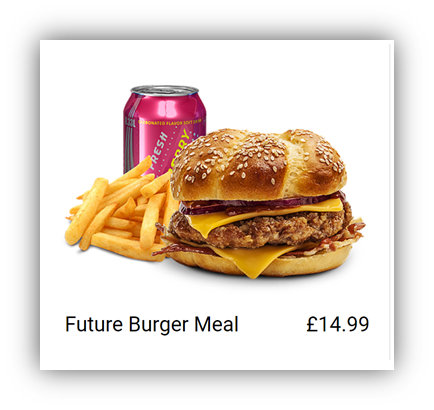
Main Product display when the product is not selected
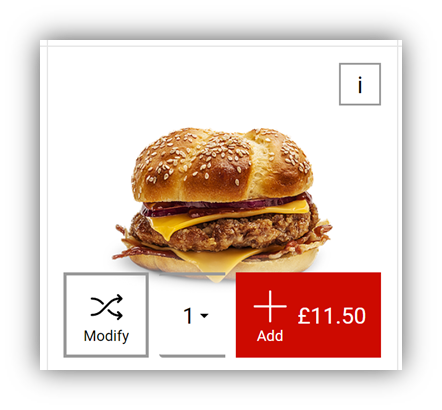
Main Product display when the product has been selected if product supports QuickAdd and all mandatory options have default selections
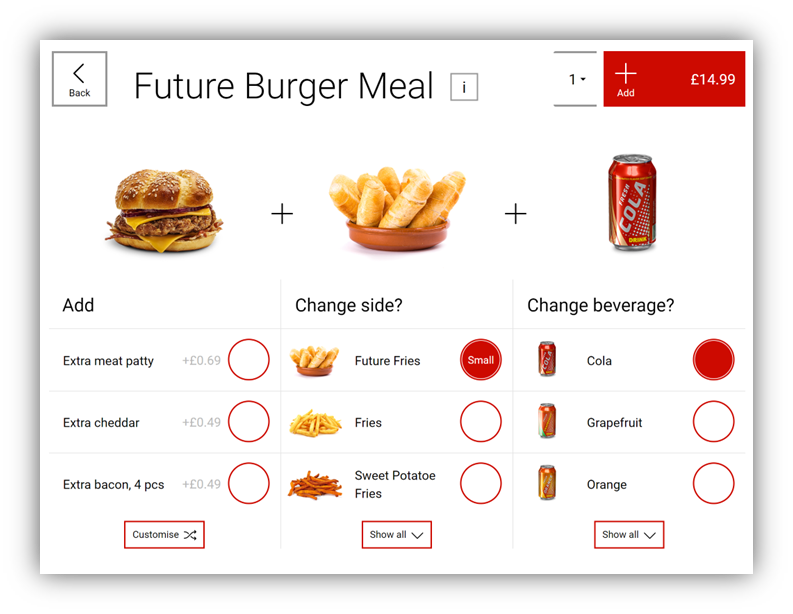
Configuration display when the product
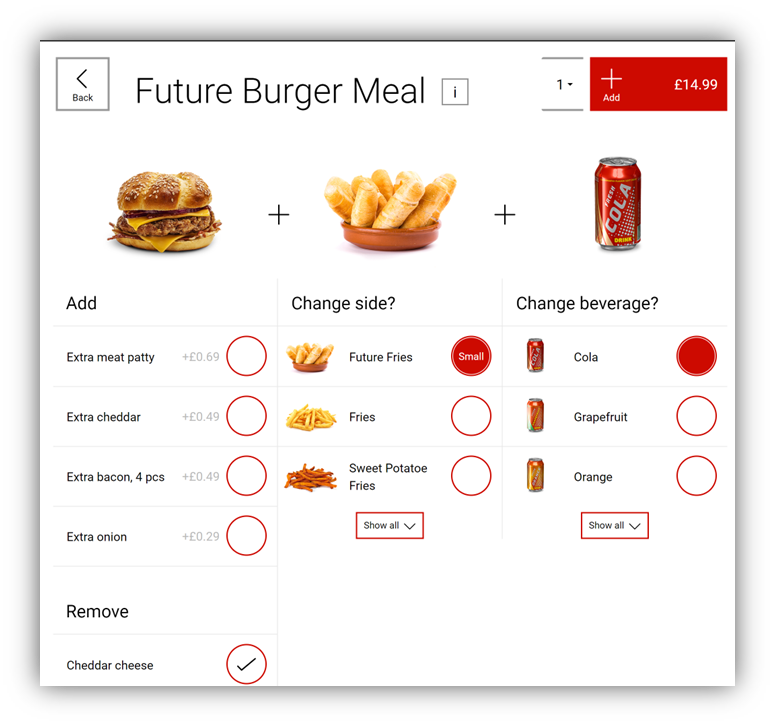
Configuration display when the burger configuration has been expanded
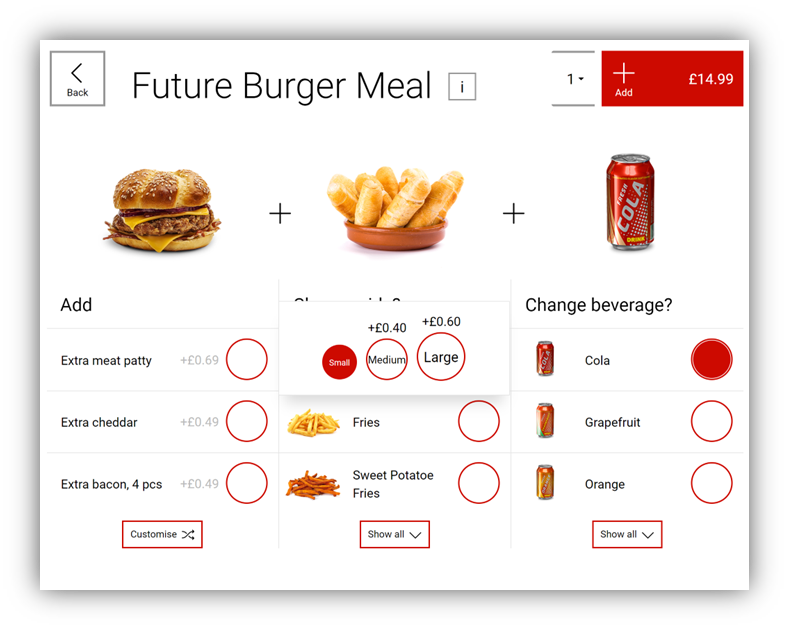
Configuration display when selecting a product which has a size configuration, e.g. “Future Fries” has been clicked in the image above